Google Analytics 4 Kenya Data: Clean Setup Guide
Raw GA4 analytics often misreport true business performance in East Africa due to default settings. Here is how to clean and secure your data accurately.
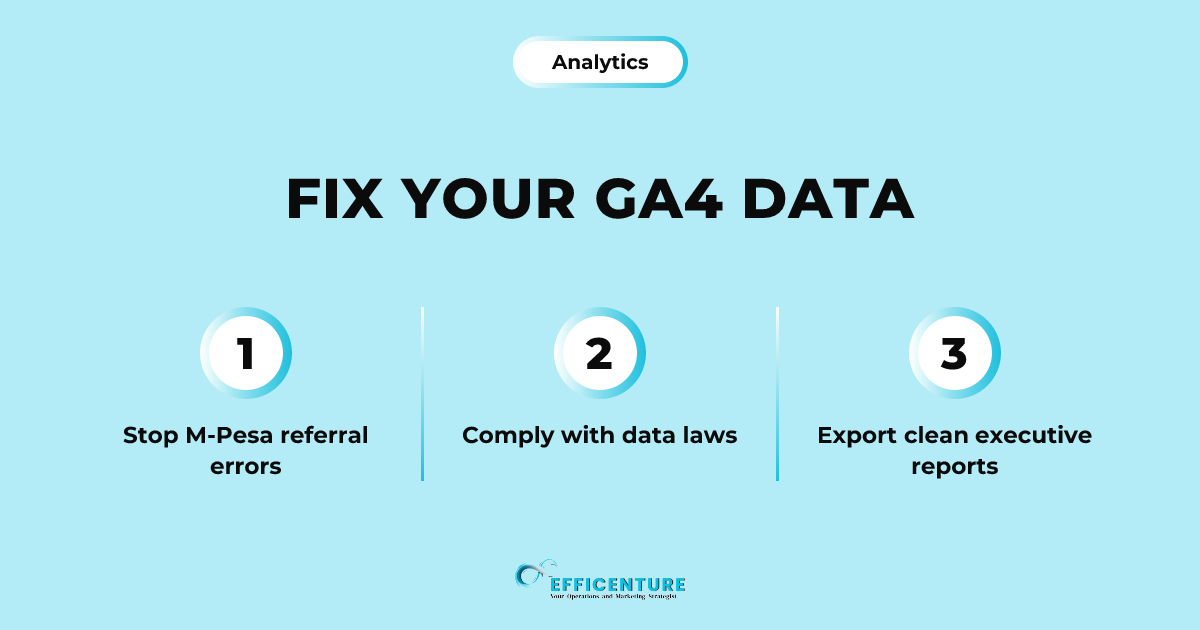
Google Analytics 4 data refers to the event-based website and app interaction information collected from online visitors located across the region. When configured correctly, this data provides accurate insights into traffic sources, user engagement, local online sales, and conversion paths for growing businesses. Managing your Google Analytics 4 data correctly helps you see true customer behaviour without distortion from default system settings.
Default GA4 configurations frequently misreport local campaign performance, drop cross-domain transaction details, and expire historical reports prematurely. Setting up proper data governance ensures your reporting remains clean, compliant, and directly tied to commercial performance. Review our specialised guide on GA4 implementation to align technical taxonomy with your actual sales funnel.
How GA4 Data Collection Works for Local Businesses
Google Analytics 4 collects user interactions as discrete events with attached parameters rather than traditional pageview sessions. Every button click, form submission, page scroll, and online transaction sends a payload of data to Google servers with context about the device, location, and traffic source. This event-driven model offers flexibility, but it requires careful setup for businesses operating within the country.
Default property setups use Pacific Time and US Dollars as standard baseline units. If you do not update these default settings immediately upon creation, your revenue figures and daily active user reports will distort, splitting single operational days across two calendar dates. You can explore broader operational improvements through our measurement strategy services.
Updating your administrative settings to reflect local operational realities is the necessary first step. Set your reporting time zone to Kenya Time and your currency to KES within the property details menu. This ensures that sales recorded on your website align perfectly with your internal bank statements and operational accounting records.
Essential Event Parameters to Track
- currency: Ensure this returns KES for local checkouts to prevent forced currency conversion estimates in reports.
- value: Numeric purchase totals that reflect actual invoice values before local taxes where appropriate.
- transaction_id: A unique reference number that matches your backend invoice or store system to prevent duplicate reporting.
- payment_type: Custom parameters that distinguish mobile money transfers from card payments or pay-on-delivery options.
Managing GA4 Data Retention Limits and Raw Data Export
Default settings in free Google Analytics 4 accounts limit user-level and event-level data retention to just two months. You can manually increase this limit in your data settings menu, but check current documentation regarding limits on exploratory analysis and data warehouse exports. To build solid data pipelines, many growing brands combine web metrics with insights from Looker Studio dashboards for clearer executive reviews.
Relying solely on the standard GA4 web interface means losing the ability to run long-term year-on-year comparisons for historical audience segments. When your account hits the 14-month mark, Google automatically purges granular user data, leaving only high-level aggregated summary reports. Connecting raw web data with operational reporting tools gives decision-makers total visibility over sales cycles.
To protect your historical reporting, link your GA4 property directly to Google BigQuery. BigQuery streams raw, unaggregated event data into cloud storage daily. Streaming raw data costs pennies per month for small to medium websites and gives you permanent ownership of your analytical history.
Review our article on how to track website conversions with GA4 for practical tips on mapping retention goals against business outcomes.
Fixing Payment Gateway Referral Issues in GA4
Payment gateway redirects represent the single largest cause of attribution loss for transactional sites. When a customer checks out on your website, your site redirects them to an external payment page, an M-Pesa express web portal, or a bank verification screen before returning them to your order confirmation page. If you want to understand how paid acquisition channels drive these transactions, our ads management services help align traffic acquisition with clean analytics.
Without technical adjustments, GA4 sees the return visit as a brand new session initiated by the payment gateway website. The original acquisition channel, such as Google Search, paid campaigns, or organic social posts, gets completely wiped out. GA4 attributes the sale to the payment gateway itself, turning your payment provider into your top-performing marketing channel in your reports.
You can fix this issue using the List Unwanted Referrals feature inside your GA4 web stream settings. Adding external domain URLs for local payment platforms, bank gateways, and mobile checkout gateways forces GA4 to ignore the middle step and preserve the original source of traffic.
To configure payment domains properly, follow these concrete steps in your analytics workspace:
- Navigate to Admin > Data Streams and select your primary web stream.
- Click Configure tag settings at the bottom of the Web stream details window.
- Select Show all to expand the list of configuration options.
- Click List unwanted referrals.
- Set match type to Referral domain contains, then enter the domain of your payment processing gateway.
- Repeat for every external domain used during your checkout sequence.
Aligning GA4 Data Collection with the Kenya Data Protection Act
Collecting analytics data from website visitors located in the country requires strict compliance with the Data Protection Act 2019. The Office of the Data Protection Commissioner treats online identifiers, IP addresses, and cookie tracking markers as personal data. To ensure your digital presence follows best practices across all channels, review our approach to digital marketing compliance.
GA4 handles IP addresses in a way that provides a baseline for compliance, though you should check the latest documentation for specific default logging rules. However, enabling features like Google Signals, custom user ID tracking, or detailed location and device data capture requires explicit legal justification and proper user consent management.
Businesses must deploy a visible privacy banner that explicitly asks users for permission to run analytics cookies before firing tracking tags. If a visitor declines consent, your tracking system must adjust accordingly. Using GA4 Google Consent Mode v2 ensures you capture cookieless structural pings without violating statutory privacy obligations.
Review our dedicated breakdown on setting up Google Analytics 4 setup for a business in Kenya to ensure your implementation respects privacy rules while preserving accurate visitor counts.
Key Compliance Steps for Web Tracking
- Update your published Privacy Policy: Explicitly list Google Analytics as a third-party data processor, specifying what information is captured and how long it is stored.
- Disable User ID feature unless backed by consent: Avoid sending unhashed email addresses, database keys, or telephone numbers into custom dimensions.
- Turn off granular location data if unnecessary: Scale back location gathering to region and country level if precise town-level tracking is not required for daily operations.
- Implement Consent Mode v2: Configure your consent banner to send default denied signals to Google Tag Manager until the visitor clicks accept.
Exporting and Cleaning Analytics Data for Executive Reporting
Raw analytics reports are rarely ready for board meetings or executive reviews without prior data cleaning. Web traffic metrics contain internal staff visits, automated web crawler hits, test transactions, and spam referral traffic that distort your genuine audience numbers. You can check your site infrastructure using our free marketing audit tool to uncover hidden tracking errors.
First, set up internal traffic filters inside GA4 to strip out visits from your own employees and agency partners. Define your office IP addresses in the Data Stream settings, then switch the Internal Traffic filter status from Testing to Active within your Data Settings pane.
Second, integrate your frontend tracking data with actual operational metrics. A conversion in GA4 shows that a user submitted a contact form, but it does not reveal whether that lead resulted in paid business, an eTIMS invoice, or an abandoned quote. Combining web data with operational pipeline metrics gives leadership a real picture of true return on spend.
For companies scaling up regional digital activity, read our practical review on marketing analytics online to see how clear measurement maps directly to lower customer acquisition costs.
How to Audit the Accuracy of Your GA4 Setup
Auditing your analytics setup systematically every quarter ensures that code updates, website changes, or layout redesigns have not broken your data collection parameters. For a complete review of your tracking infrastructure, explore our professional analytics and reporting services.
Begin your audit inside the GA4 DebugView interface. Open your site in a separate window using Google Tag Assistant, trigger key conversion points, and watch the events stream into the debug timeline in real time. If custom parameters do not register or event names appear twice, your tags are misfiring.
Check your thresholding markers inside standard reports. If a small yellow warning icon appears at the top of a report tab, Google is withholding data to protect user privacy because your user counts are too low or Google Signals is turned on. Switch your reporting identity to Device-based inside your Admin menu to bypass thresholding and view unhidden visitor totals.
GA4 Data Hygiene Checklist
- [ ] Reporting timezone is set to Kenya Time.
- [ ] Reporting currency is explicitly set to KES.
- [ ] Data retention cap is increased from two months to 14 months.
- [ ] Office and internal developer IP addresses are fully excluded.
- [ ] External payment gateway URLs are added to the unwanted referral list.
- [ ] BigQuery integration is active and streaming daily raw events.
- [ ] Custom dimensions are mapped to active parameters.
Fixing these technical points creates a clean foundation for evaluating commercial performance. Learn more about properly tracking paid activity through our focused services for conversion tracking.
Partner with Efficenture for Analytics Support
Unsure whether your current analytics setup delivers accurate, legally compliant figures? Efficenture works with business owners and marketing leaders across East Africa to turn broken tracking into clean, actionable operational data.
Our team provides complete technical configuration, custom data warehouse setups, and executive performance dashboards tailored to your growth objectives. We audit your existing setups, rebuild broken attribution models, and train your staff to interpret data with confidence.
Reach out to discuss your setup by visiting our analytics and reporting service page or calling us directly on +254 714 146 122.
Frequently asked questions
Why is my Google Analytics 4 data showing transactions in USD instead of KES?
GA4 defaults to US Dollars upon property creation unless manually updated. You can change your reporting currency to KES under Admin > Property Settings. Existing historical reports will convert based on historical exchange rates, but future data will process natively in KES.
How long does Google Analytics 4 retain my visitor data?
Free GA4 accounts default to a two-month data retention period for user-level and event-level reports. You can manually extend this to 14 months within your Data Settings pane. To retain raw event data indefinitely, link your property to a free-tier Google BigQuery instance.
Why are payment gateways showing up as referral sources in my GA4 reports?
When users leave your site to complete a payment on a gateway or bank verification portal, returning to your site starts a new session. GA4 credits the payment site unless you add those domains to the List Unwanted Referrals setting inside your Web Data Stream configuration.
Does collecting Google Analytics 4 data comply with the Kenya Data Protection Act?
GA4 does not store IP addresses by default, helping meet privacy baselines. However, collecting granular location metrics, deploying Google Signals, or linking individual user IDs requires a visible consent banner and a compliant privacy policy under the Data Protection Act 2019.
Weekly Insights
One useful idea a week, on what you care about
A two-minute weekly briefing for growing businesses: the insight worth knowing on each topic you pick, why it matters, one thing to do that week, and the guides that go deeper. Unsubscribe any time.