Business Automation in Kenya: A Practical Operations Guide
A practical guide for growing businesses on mapping manual bottlenecks, connecting operational software, and building reliable automated workflows.
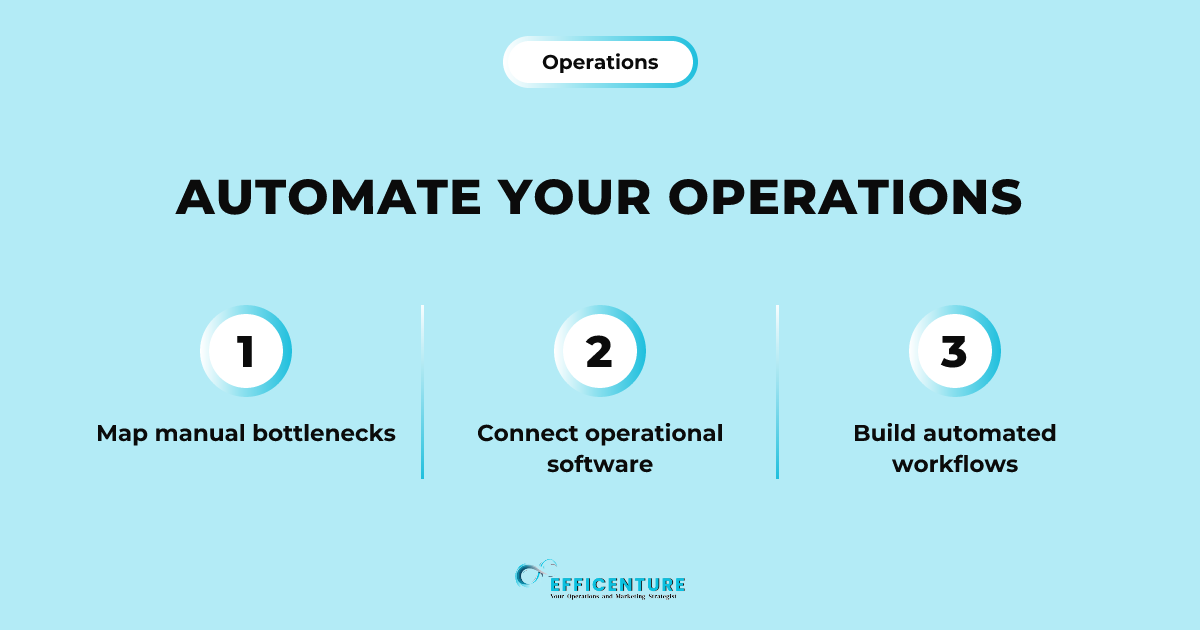
Business automation in Kenya involves using software tools, integrators, and system APIs to complete manual operational tasks without human intervention. By connecting databases, payment platforms, and administrative applications, companies process transactions faster, reduce human errors, and scale work volumes without adding staff headcounts. Building this operational framework requires structured process mapping through operations management consulting before buying or configuring technical systems.
Many business owners confuse true operational automation with basic customer messaging scripts. Automated customer interactions, such as basic website scripts or basic artificial intelligence responses, cover initial user communications, but operational automation handles behind-the-scenes execution. It connects financial records, inventory logs, order fulfillments, and tax compliance systems so your enterprise runs reliably behind the scenes.
What is business automation in an operational context?
Business automation in an operational context means connecting software platforms, internal databases, and daily task workflows so data moves between departments without manual data entry. It replaces manual handoffs, repetitive spreadsheet updates, and physical document transfers with system-driven business logic.
When a customer pays for goods or services, an automated system performs several steps at once. It verifies the payment, creates an entry in your accounting ledger, adjusts stock figures in your warehouse software, triggers an eTIMS electronic tax invoice, and assigns a dispatch task to your logistics manager.
This differs from installing standalone software tools. Purchasing an accounting program or a customer relationship management platform does not mean you have automated your operational tasks. If your finance team still manually copies sales numbers from a web storefront into your accounting software, the operational workflow remains manual.
True operational automation connects isolated systems. It allows software applications to communicate through APIs (Application Processing Interfaces) or intermediary integration platforms like Make and Zapier, turning separate business software tools into a single operational pipeline.
What processes should a growing business in Kenya automate first?
The best processes to automate first are high-volume, repetitive tasks that follow clear operational rules and currently cause internal delays or human errors. Focusing on administrative, financial, and inventory handoffs delivers immediate cost relief and operational stability.
+-------------------------------------------------------+
| HIGH-IMPACT AUTOMATION TARGETS |
+-------------------------------------------------------+
| |
| 1. Financial Reconciliation |
| • M-Pesa statements -> Accounting entries |
| • Automatic eTIMS tax invoice generation |
| |
| 2. Stock & Inventory Sync |
| • Multi-location inventory adjustments |
| • Low-stock reorder alerts to suppliers |
| |
| 3. Lead & Customer Handoffs |
| • Digital web forms -> CRM lead allocation |
| • Immediate sales rep alert notifications |
| |
| 4. Internal Authorisations |
| • Purchase request validation checks |
| • Manager approval routing workflows |
+-------------------------------------------------------+
Financial reconciliation and tax compliance
Manual reconciliation between mobile money accounts, bank statements, and company ledgers takes up hours of administrative time every week. Automating this flow links payment gateways directly to your accounting system.
When an M-Pesa transaction clears, the system matches the transaction code to an outstanding customer invoice, updates account receivables, and registers an eTIMS tax invoice with the Kenya Revenue Authority. This eliminates lost payment receipts and keeps your financial records accurate in real time.
Stock management and fulfillment updates
Retail and distribution operations managing stock across multiple sites, such as warehouses in Nakuru, Eldoret, or Kisumu, frequently suffer from stock discrepancies. Manual inventory logging leads to stockouts or overselling online.
Automating inventory tracking updates stock balance figures across all sales channels the moment an order processes. Once stock drops below a set threshold, the system sends a purchase request notification straight to your procurement team or directly to your supplier.
Commercial lead handoffs and task assignment
Inquiries generated online often stall because staff do not notice incoming leads fast enough. Automating this entry step captures incoming requests, categorises them, creates a profile in your CRM, and assigns the sales rep immediately.
Setting up structured commercial handoffs prevents missed deals and standardises how teams turn raw inquiries into active sales conversations. You can read more about capturing commercial opportunities in our guide to lead generation in Kenya.
Approval requests and administrative tasks
Internal administrative tasks, such as staff leave applications, expense claims, and purchase requisitions, waste management time when routed on paper or unstructured email threads. Automated approval flows route digital forms directly to the right manager based on predefined expense rules.
If an expense claim falls within a preset manager limit, the system routes it instantly for digital sign-off and notifies accounting for disbursement. If it exceeds that threshold, it escalates to executive management automatically, creating a clear audit trail.
How do you prepare your operations for automation?
Preparing your operations for automation requires mapping your existing business processes, clearing out manual bottlenecks, and documenting standard procedures before introducing any software tool. Automating a broken or chaotic process only produces faster operational failures.
+------------------+ +------------------+ +------------------+
| 1. MAP WORKFLOW | --> | 2. STANDARDISE | --> | 3. DEFINE RULES |
| Document steps | | Clean data & | | Build error & |
| & handoffs | | write SOPs | | exception paths |
+------------------+ +------------------+ +------------------+
Map the end-to-end workflow
Start by recording every step of your process from start to finish. Identify who completes each step, what software tools they touch, where physical handoffs occur, and where work delays happen most often.
Include every exception to the rule. Write down what happens when a client pays the wrong amount, when an item is out of stock, or when a delivery address is incomplete. Automated systems follow explicit rules, so every conditional scenario must be planned in advance.
Standardise operations and clean underlying data
Software applications need structured inputs to function reliably. Standardise data formatting across client records, inventory codes, product categories, and staff role assignments before connecting your tools.
Establish strict operational procedures so every employee inputs data the exact same way. If you need help structuring your daily operational workflows, review our guide on writing standard operating procedures for small businesses in Kenya.
Establish clear exception rules
Define clear rules for system failures or missing information. An automated workflow must know precisely what action to take when an third-party API goes down, a payment confirmation times out, or a database record shows missing contact details.
Set up automatic error notifications that ping a specific team member whenever a workflow encounters an exception. This step keeps manual intervention ready for unique edge cases without stalling your main operational system.
What software tools support business automation in East Africa?
Business automation in East Africa relies on integration platforms, enterprise resource planning (ERP) systems, specialized custom scripts, and software tools built with local payment and compliance APIs. Choosing software with open APIs ensures long-term operational flexibility.
| Software Category | Common Platforms | Operational Use Case |
| :--- | :--- | :--- |
| Workflow Integrators | Make, Zapier, n8n | Linking separate web applications without complex code |
| Cloud ERP Systems | Odoo, Zoho One, QuickBooks | Centralising accounting, inventory, HR, and sales operations |
| Payment Gateways | M-Pesa Daraja API, Flutterwave, Paystack | Automating collection and payment status updates |
| Communication Platforms | WhatsApp Business API, Africa's Talking | Sending automated dispatch alerts and invoice receipts |
No-code and low-code platforms such as Make and Zapier connect cloud applications quickly. They allow non-technical teams to set up data triggers between web forms, email marketing accounts, cloud spreadsheets, and internal databases without writing custom software script.
Self-hosted platforms like n8n suit organisations that handle sensitive operational data or need to comply with strict data privacy guidelines. Self-hosted instances give your technical team full control over system security, access logs, and workflow execution.
Enterprise Resource Planning applications manage business processes within a single database system. ERP platforms prevent data siloing across regional offices, allowing field staff in Mombasa and warehouse operators in Nairobi to run off identical, live inventory and cash-flow figures.
To check whether your current software and operational stack are ready for system integration, run a free marketing and operations audit to identify technical bottlenecks across your workflows.
How much does business automation cost in Kenya?
The cost of business automation in Kenya varies based on the scope and setup; check current provider quotes for exact pricing. Total spending depends on software subscriptions, custom API development, and external implementation guidance.
+-------------------------------------------------------+
| AUTOMATION COST BREAKDOWN (KES) |
+-------------------------------------------------------+
| |
| No-Code Integrations (Zapier / Make) |
| KES 5,000 - KES 25,000 / month |
| |
| Mid-Tier Cloud ERP Systems (Zoho / Odoo) |
| KES 35,000 - KES 150,000 / month |
| |
| Custom API Development & Setup |
| KES 150,000 - KES 700,000+ (one-off fee) |
| |
| Ongoing Maintenance & System Monitoring |
| KES 20,000 - KES 80,000 / month |
+-------------------------------------------------------+
Software subscription fees
Cloud software providers bill based on usage tiers, transaction volumes, or monthly user seats. Entry-level integration platforms vary in price; check the current provider rates for your operational run requirements.
Comprehensive cloud ERP solutions charge per active user seat. Mid-tier setups for medium businesses vary in cost; check current provider pricing for operational user licenses and system add-ons.
Setup and integration engineering fees
Connecting custom systems, setting up local payment APIs, and configuring custom database endpoints require dedicated engineering time. Professional setup services vary in cost depending on the system; check current provider rates for basic or enterprise custom integrations.
Investing in experienced technical consultants during launch protects your business from costly workflow failures later. You can evaluate cost controls by reading our insights on how to reduce operational costs in a small business in Kenya.
Maintenance, support, and oversight
Automated system connections require ongoing maintenance. Third-party software providers regularly update their system APIs, security protocols, and operational terms, which can disrupt existing integrations if left unmonitored.
Ongoing technical support, system error monitoring, and workflow adjustments vary in cost; check current provider rates for your monthly budget. Maintaining your automation pipeline protects core daily processes from breaking unannounced.
How do you measure the operational ROI of business automation?
Measuring the operational return on investment (ROI) of business automation involves tracking time saved on manual tasks, error reduction rates, and throughput speed improvements against setup and monthly software costs. Calculating real efficiency metrics proves whether automation generates net value.
ROI = (Financial Value of Saved Hours + Saved Error Costs) - System Costs
Total System Costs
Hours saved on manual tasks
Calculate the exact working hours spent by employees on manual data entry, paper filing, physical inventory checks, and manual reconciliation before and after automation. Multiply those saved hours by your staff hourly labor rates to measure direct wage savings.
If automating your payment reconciliation saves your finance assistant 15 hours every week, that time can be redirected toward active debt recovery or strategic cash-flow management without increasing payroll expenditure.
Reduction in operational error rates
Manual entries often lead to typos, wrong delivery addresses, incorrect invoice figures, and lost client records. Quantify the financial cost of operational mistakes, including stock write-offs, urgent re-delivery costs, and client refund requests.
Tracking how error rates drop after linking systems gives a clear view of saved working capital. You can review tracking options through our specialized analytics and reporting services.
Lead-to-fulfillment cycle speeds
Measure the time it takes for a customer order to move from payment confirmation to dispatch. Shorter fulfillment cycles increase operational capacity, improve customer retention, and accelerate cash turnover.
Automated pipelines clear orders instantly, allowing operational teams to handle twice as many client requests without increasing order processing times or adding extra administrative shifts.
What common pitfalls break business automation projects?
Business automation projects fail when businesses automate bad processes, select rigid software platforms, or fail to train operational staff on new digital procedures. Avoiding these critical pitfalls preserves project capital and team productivity.
+-------------------------------------------------------+
| FOUR AUTOMATION PITFALLS |
+-------------------------------------------------------+
| |
| [!] Automating Unstandardised Workflows |
| Enshrines operational chaos into automated code |
| |
| [!] Selecting Rigid Software Applications |
| Locks operations into tools without open APIs |
| |
| [!] Ignoring Regional Infrastructure Limits |
| Fails when internet drops or APIs time out |
| |
| [!] Neglecting Staff Training & Internal Ownership |
| Causes workers to bypass digital systems |
+-------------------------------------------------------+
Automating unstandardised workflows
Attempting to build automated workflows around informal, unstandardised procedures locks operational chaos into software logic. If staff members process orders differently based on personal preference, the automation will generate errors when it encounters unexpected inputs.
Standardise and test every manual procedure thoroughly before writing software rules or setting up Zapier connections. Technical tools require structured processes to operate successfully.
Selecting rigid software platforms without open APIs
Choosing proprietary, closed software limits system growth. If your chosen accounting software or CRM cannot connect to external payment systems, eTIMS tax portals, or custom web forms via open APIs, your automation efforts will stall.
Prioritise platforms that provide clear API documentation, webhooks, and established third-party integration options. Open system architecture ensures long-term operational adaptability as your business scales.
Ignoring regional connectivity and offline edge cases
Relying entirely on real-time cloud connections without local offline options can halt operations when internet service drops at regional branch sites. Design systems with fallback offline features or queueing mechanics.
If a field team member logs a stock collection in an area with poor internet access, the system must save the record locally and upload the dataset automatically once connection restores.
Neglecting staff training and internal adoption
Employees often resist automated tools if they fear job losses or struggle to navigate new software setups. Without detailed training, workers frequently bypass new systems and return to manual spreadsheets or paper notes.
Involve your operational staff early in process mapping sessions. Position automation tools as helpful assistants that eliminate repetitive data entry, giving team members more time for complex, high-value work.
To review how outside expertise can help align your internal team and software platforms, read our guide on working with operations management consultants in Kenya.
Work with Efficenture to automate your business operations
Automating your business operations requires practical workflow design, robust API connections, and software integrations tailored to your day-to-day operations.
At Efficenture, we help growing businesses streamline operations, eliminate manual bottlenecks, and build automated systems that support sustainable long-term scale. Based in Nairobi, we consult with clients across Kenya, East Africa, and international markets to design operational workflows that lower costs and protect operational margins.
If you are ready to remove manual data bottlenecks and build connected operational systems, explore our tailored operations management consulting service. You can call or send a WhatsApp message to our consulting desk on +254 714 146 122 to start your automation process today.
Frequently asked questions
What is the difference between business process improvement and business automation?
Business process improvement focuses on reviewing, simplifying, and redesigning manual workflows to remove waste and unnecessary steps. Business automation comes after process improvement, using software applications, system integrations, and APIs to handle those streamlined workflows without manual human execution.
How long does a typical business automation project take to complete?
Simple no-code automation projects using platforms like Make or Zapier take between two and four weeks to design, test, and deploy. Complex enterprise automation projects involving cloud ERP software, custom API developments, and legacy data migration generally require eight to sixteen weeks to deploy across an organisation.
Can older legacy accounting or CRM systems be automated?
Legacy systems can be automated if they support open databases, webhooks, or custom API access points. If an older system lacks direct API capabilities, modern middleware platforms or robotic process automation software can read interface inputs, though upgrading to modern cloud software often provides a cleaner long-term solution.
Does business automation mean replacing existing employees?
Business automation rarely requires replacing staff. Instead, it eliminates repetitive, time-consuming data entry and administrative tasks, allowing your existing team to handle higher order volumes, focus on strategic growth projects, deliver faster customer service, and improve operational productivity.
Weekly Insights
One useful idea a week, on what you care about
A two-minute weekly briefing for growing businesses: the insight worth knowing on each topic you pick, why it matters, one thing to do that week, and the guides that go deeper. Unsubscribe any time.