SEO ·
How to Run a Free SEO Audit for Your Business
Automated website scanners often deliver confusing technical reports. Here is how to run a practical free SEO audit that reveals why your site is missing buyers and how to fix it.
A free SEO audit is a structured evaluation of how well your website attracts, handles, and converts search engine traffic. Most free automated tools spit out fifty-page documents filled with obscure technical jargon that leaves managers unsure of what to fix first. A practical audit cuts through that noise by showing you where search engines struggle to read your site, where prospective buyers lose trust, and where your lead capture breaks down.
If you want an immediate assessment of your web presence without wading through raw code, you can run our free online marketing audit. It reviews your live site across technical health, Google Maps visibility, competitor reviews, social channel links, analytics tags, and contact forms in under two minutes.
Whether you run an automated check or inspect your site manually, understanding what to look for helps you protect your marketing budget and focus effort where it generates revenue. For a deeper look at search engine strategy, review our guide to SEO services in Nairobi.
What should a practical free SEO audit cover?
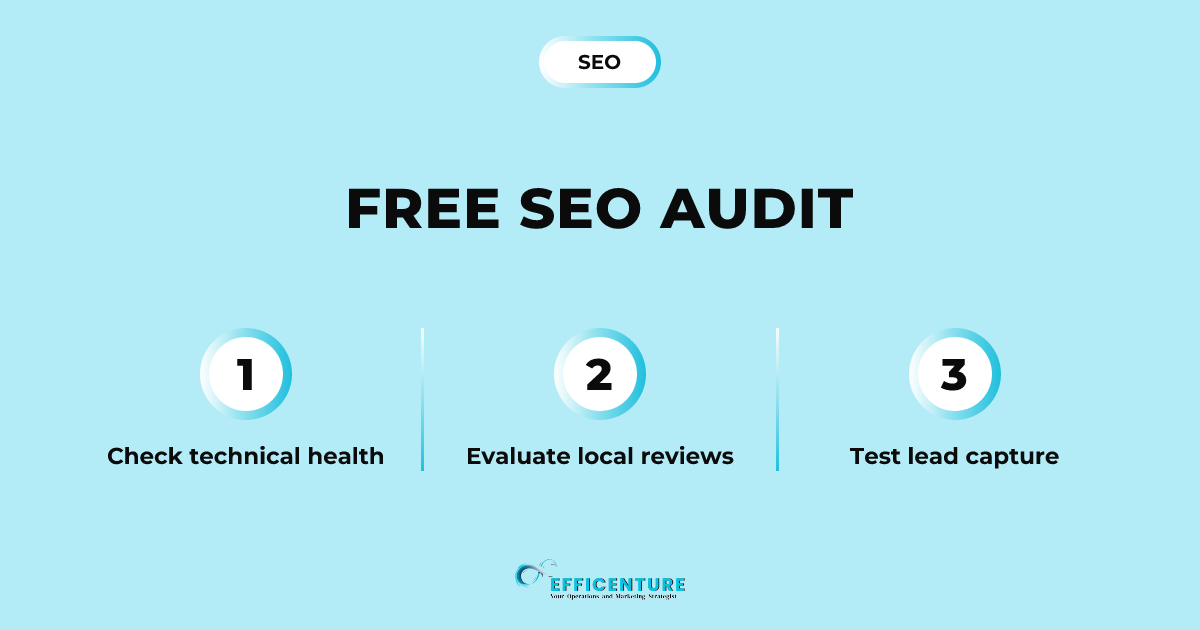
A practical free SEO audit evaluates six distinct areas of your digital footprint: technical crawler access, Google Maps presence, review signals, social links, measurement tags, and lead capture. It measures whether potential customers can find your business online and successfully make an enquiry.
Many commercial audit software programs focus exclusively on technical items like page titles and image tags. While those matter, an operational approach checks the entire path a customer takes from search engine to completed sale.
Here are the six areas every comprehensive website check must inspect:
- Technical search health: Checks if search engine robots can crawl, index, and load your web pages cleanly on mobile devices.
- Google Maps profile: Verifies your local map listing, category settings, business hours, and address accuracy.
- Google reviews compared with nearby competitors: Benchmarks your review volume and rating average against top local rivals.
- Social channels linked from the site: Confirms that social profile links in your website header and footer actually work.
- Analytics and ad tags: Ensures measurement scripts like Google Analytics 4, Meta Pixel, and Google Tag Manager are installed correctly.
- Lead capture and contact options: Tests whether forms, WhatsApp buttons, and phone links actually deliver customer enquiries to your team.
Checking these six areas prevents you from spending time optimising keywords on pages that suffer from broken lead forms or missing tracking scripts. If you want to improve your search visibility, explore our search engine optimization services.
How do you audit technical search health manually?
Auditing technical search health requires checking indexation, page response speed, mobile usability, and security headers. These factors dictate whether Google and modern AI answer engines can read and present your pages to prospective clients.
Start by opening a web browser and running an index check. Type `site:yourdomain.com` into the Google search bar. The search engine will return every page it has indexed for your web domain.
If key service pages or blog posts do not appear in those results, search engines cannot rank them. Common causes include accidental `noindex` meta tags, instructions inside your `robots.txt` file that block crawlers, or duplicate content issues.
Next, examine how fast your website loads on a standard mobile connection. Open your site on a smartphone using a mobile data network rather than high-speed office internet. If key pages take more than three seconds to display text and images, visitors will leave before seeing your offer.
You should also check for broken internal links and improper redirects. When a user clicks a broken link, the server returns a 404 error page. High numbers of broken links signal poor site maintenance to search engine crawlers and frustrate human visitors.
Consider an agricultural equipment distributor in Eldoret that built new product pages for tractor implements. A basic technical check revealed that while their homepage loaded quickly, every product detail page failed mobile rendering tests. The issue hid critical pricing tables from smartphone users, cutting off organic inbound enquiries until the template was corrected.
If you suspect technical tracking errors are hiding site usage data from your management team, read our practical guide to Google Analytics 4 setup in Kenya.
How do you evaluate Google Maps and review signals?
You evaluate Google Maps and reviews by comparing your primary business category, review count, rating average, and response rate against the top three local search results in your target city. Local search visibility relies heavily on geographical relevance and public signals of consumer trust.
Search engines prioritize businesses that maintain complete, active local profiles. If your business serves customers in a specific town or region, local map rankings often drive higher purchase intent than standard web pages.
To evaluate your local positioning, search for your main product or service combined with your city name on Google. Look closely at the top three map listings, often called the local pack, and evaluate these four items:
- Primary business category: Are top competitors using a specific category that matches your services better than your current selection?
- Total review count: How many verified customer reviews do top competitors have compared to your profile?
- Average review score: Is your average star rating at or above the market average for your category?
- Owner responses: Have you replied publicly to recent positive and negative feedback?
If a legal firm or medical practice in Mombasa has forty positive reviews while your profile has three, search algorithms will usually display your competitor higher in local map results. Regular review requests from satisfied customers build sustained local visibility over time.
For detailed steps on improving your local business profile and map placement, read our detailed guide on Google Business Profile optimization.
Why do analytics tags and social links belong in an SEO check?
Analytics tags and social links belong in an SEO check because search visibility delivers little value if you cannot trace traffic sources or verify brand authenticity. Missing measurement tags prevent you from knowing which keywords drive real sales inquiries.
When prospective clients find your business through search engines, they often research your company across multiple platforms before reaching out. Broken social media icons in your website footer damage credibility immediately.
Check your website header and footer links manually. Click every social media icon to ensure it opens your current, active company page rather than a generic platform homepage or a template default link.
Equally important is verifying that your website runs active measurement tools. Without properly installed tracking tags, you cannot distinguish between traffic generated by search engines, social channels, or direct visits.
You can inspect installed tags using free browser extensions like Google Tag Assistant. Verify that your site fires the following basic scripts:
- Google Tag Manager: A container script that simplifies tag deployment without altering core site code.
- Google Analytics 4 (GA4): Measures visitor sessions, user paths, page views, and event completions.
- Advertising pixels: Tracks visitor behavior for platforms like Meta, LinkedIn, or TikTok to build remarketing audiences.
If you want to check your analytics tags, social links, local map profile, and technical search status automatically, run the Efficenture free marketing audit. Our tool scans your digital presence and sends a clear diagnostic report straight to your inbox.
To ensure your measurement infrastructure is configured correctly from the start, consider our specialized analytics and reporting services.
How do you test website lead capture and phone conversion paths?
Testing lead capture involves submitting every enquiry form on your site and clicking all phone and WhatsApp buttons on standard mobile devices. A website that attracts search traffic but fails to deliver user messages wastes every visitor search engines send your way.
Traffic numbers look impressive on monthly reports, but revenue depends on converted visitors. Technical glitches inside web forms often go unnoticed for months because site owners rarely test their own contact pages.
Follow this manual test process across desktop and mobile devices:
- Test enquiry forms: Fill out every contact form, quote request, or newsletter sign-up on your website using a real email address and phone number.
- Verify notification delivery: Confirm that the form submission triggers an immediate notification email to your sales team and stores the entry in your customer database.
- Check confirmation pages: Verify that users see a clear confirmation message or reach a thank-you page after clicking submit.
- Test click-to-call links: Tap every phone number displayed on your site using a mobile phone to confirm it launches the phone dialler with the correct country code.
- Test WhatsApp chat buttons: Click all WhatsApp icons to verify they open a chat window addressed to an active customer support or sales number.
For e-commerce websites and service providers collecting deposits, test payment integrations as well. Ensure payment options like M-Pesa or card processing execute smoothly without throwing application errors or failing to generate eTIMS tax invoices where required.
A transport logistics firm based in Nakuru once experienced a 40% drop in web leads over two weeks. An audit showed that while their search positions remained unchanged, a recent website plugin update caused their main booking form to throw a server error whenever a customer attached a file. Fixing the form restored lead flow immediately without altering their search content.
To turn incoming traffic into reliable prospective clients, explore our direct approach to conversion rate optimization.
What should you do after getting your audit results?
After receiving your audit results, prioritize fixes by business impact, starting with broken lead forms and indexing blocks before addressing speed tweaks or content rewrites. Grouping tasks into high, medium, and low priority prevents team burnout and yields faster financial returns.
Audit reports can contain dozens of warnings. Trying to resolve every minor suggestion at once often leads to stagnation.
Use this priority matrix to organize your action plan:
High Priority (Fix within 48 hours)
- Broken contact forms, dead phone links, or failing M-Pesa checkout connections.
- Critical indexing errors that block search crawlers from reading main service pages.
- Missing or incorrect contact information on your Google Maps profile.
- Inactive or unconfigured Google Analytics 4 tracking.
Medium Priority (Fix within 2 weeks)
- Slow mobile page loading times caused by uncompressed images.
- Missing or duplicate page titles and meta descriptions across core service pages.
- Outdated social media links in website headers or footers.
- Unanswered customer reviews on Google Maps.
Low Priority (Fix within 30 to 60 days)
- Minor formatting issues on secondary blog posts.
- Missing image alt text on non-critical graphics.
- Schema markup additions for advanced search snippet displays.
Fixing fifty minor technical warnings about image tags will not increase sales if your contact form drops customer enquiries. Always address conversion bottlenecks before spending time on minor technical refinements.
If you are evaluating broader digital strategies alongside search improvements, read our practical guide on small business digital marketing strategies.
How do automated audit tools compare to manual checks?
Automated audit tools compare to manual checks by providing fast, programmatic scans of large site data, whereas manual checks evaluate contextual business relevance and user experience. Automated tools excel at spotting technical errors across hundreds of pages at once.
However, an automated tool cannot tell you whether your written content matches the commercial language used by prospective clients in your local market. It cannot tell you if your offer sounds convincing or if your pricing is clear.
Here is how automated software and human analysis work together:
| Evaluation Area | Automated Audit Tool | Manual Strategic Review |
| :--- | :--- | :--- |
| Crawl errors and 404s | Identifies broken links instantly across entire site | Determines which missing pages matter to revenue |
| Page load speed | Measures exact loading speed in seconds | Identifies specific oversized images causing delays |
| Meta tag validation | Highlights missing page titles automatically | Rewrites titles to include high-intent search terms |
| Lead form functionality | Checks if form code exists on page | Submits test entries to verify end-to-end delivery |
| Local map positioning | Scrapes basic profile data | Evaluates competitor offer positioning and reviews |
Using an automated scan gives you a baseline report in seconds. Adding a manual review ensures you focus your budget on fixing issues that directly affect customer acquisition.
To build operational efficiency across your sales and marketing workflows, consider our consulting on operations management.
How much does it cost to fix website SEO issues in East Africa?
Fixing website SEO issues in East Africa typically involves costs that vary by project scope for a one-off technical cleanup, while ongoing monthly optimization packages are also available. Total costs depend on site complexity, domain authority, and existing technical health.
A small five-page corporate website with minor mobile layout issues requires far less engineering time than an e-commerce platform with thousands of product listings and custom database queries.
Here are the main cost components to plan for:
- Technical cleanup (KES 30,000 to KES 120,000): Fixing site speed errors, broken redirects, mobile display bugs, and tag setups.
- Local SEO setup (KES 25,000 to KES 70,000): Optimising Google Maps profiles, local directory listings, and review acquisition workflows.
- Content optimization (KES 40,000 to KES 150,000): Rewriting page titles, headers, and core service content to match real search queries.
- Comprehensive technical overhaul (KES 150,000 to KES 450,000+): Rebuilding broken website architecture, fixing deep database errors, and implementing advanced site structure.
Understanding these price ranges helps business managers budget effectively and avoid overpaying for standard maintenance tasks. For a detailed breakdown of market rates and agency pricing models, consult our full guide on how much SEO services cost in Kenya.
How often should you run an SEO check on your site?
You should run a basic SEO check on your site at least once every quarter, and conduct a full technical review whenever you update core software, alter page structures, or launch new product lines. Regular monitoring prevents minor technical errors from accumulating into major search traffic drops.
Websites are dynamic systems. Content management plugins update automatically, staff members upload raw uncompressed photos, and web links break over time as external sites change.
Set up a recurring schedule for site maintenance:
- Monthly checks: Test all website enquiry forms, mobile phone links, and WhatsApp chat widgets. Review new Google Maps feedback and respond to customer reviews.
- Quarterly checks: Run an automated search audit to scan for missing meta tags, broken internal links, and page speed slowdowns.
- Annual checks: Conduct a complete strategy review to assess keyword rankings, competitor positioning, content gaps, and full measurement tag health.
Consistent quarter-by-quarter maintenance costs significantly less than trying to recover lost search positions after months of site neglect.
What is your next step to improve website performance?
Your next step is to run a comprehensive check of your web presence, identify existing bottlenecks, and execute high-priority fixes that protect your lead generation. Efficenture helps growing businesses clean up technical search obstacles and build operational marketing systems that deliver qualified clients.
We are based in Nairobi and work with clients across Kenya, East Africa, and international markets. Our team combines digital strategy with operational process management to ensure your marketing spend delivers measurable business growth.
To get an instant diagnostic of your website health, local map profile, competitor review position, social links, tracking setup, and lead capture forms, request our free SEO audit today.
If you prefer to discuss your business requirements directly with our strategic team, explore our digital marketing services or contact Efficenture on +254 714 146 122.
Frequently asked questions
What is included in a free SEO audit?
A comprehensive free SEO audit evaluates technical search crawler health, mobile load speeds, Google Maps profile completeness, competitor reviews, social media profile links, analytics tag installations, and active lead capture forms. It identifies technical errors and conversion blocks that prevent search engine visitors from becoming paying customers.
How long does a website audit take to complete?
An automated tool like Efficenture's free audit delivers a high-level diagnostic report across six key marketing pillars in one to two minutes. A manual, expert-led strategic review that includes competitive market analysis and technical code remediation planning typically takes three to five business days.
Why does my website rank lower than competitors on Google Maps?
Lower Google Maps rankings usually stem from incomplete profile details, incorrect primary category choices, inconsistent business name and address information across web directories, or fewer verified customer reviews compared to nearby competitors in your city.
Do technical SEO errors affect website sales directly?
Yes, technical errors directly reduce sales when they cause pages to load slowly on mobile devices, display broken layouts, or fail to process contact form submissions. Even if search engines display your site, broken conversion paths prevent interested prospective buyers from contacting your sales team.
Weekly Insights
One useful idea a week, on what you care about
A two-minute weekly briefing for growing businesses: the insight worth knowing on each topic you pick, why it matters, one thing to do that week, and the guides that go deeper. Unsubscribe any time.