Ads ·
TikTok Ads Kenya Business Account: Setup and Billing Guide
Setting up a TikTok Ads business account in East Africa requires understanding account registration, payment currencies, and tax compliance. Here is the practical setup guide.
Setting up your TikTok Ads business account
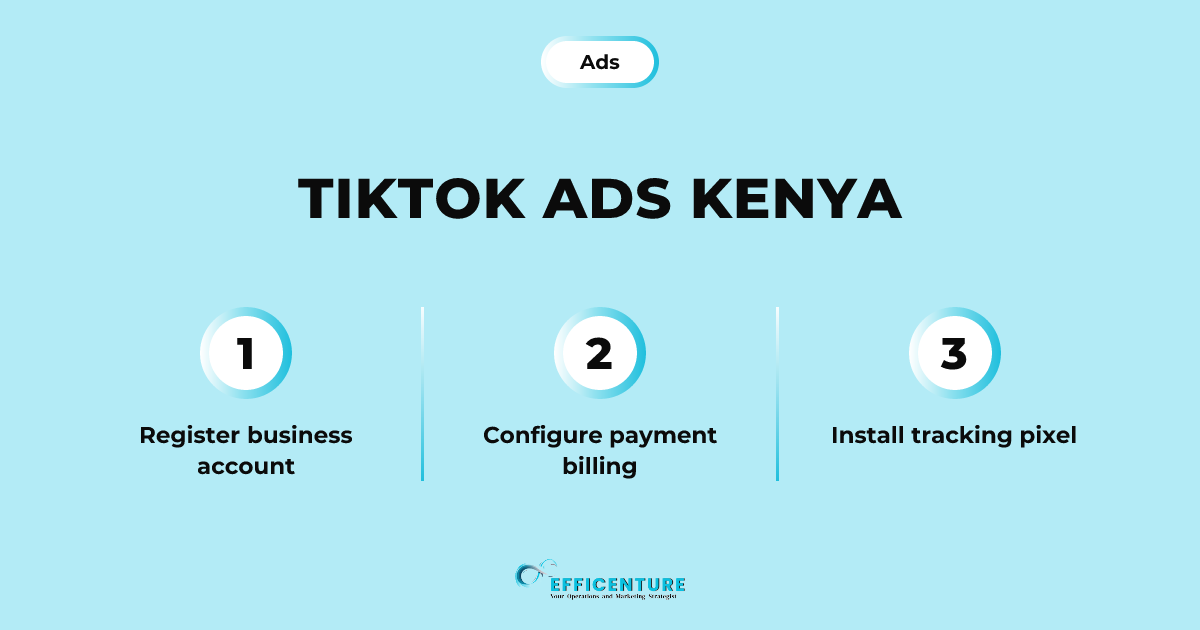
Setting up a TikTok ads business account requires registering a TikTok Business Center, opening an Ads Manager account tied to Kenya or your operating region, and validating your tax and billing credentials. Once verified, you can link your company web properties, install tracking pixels, and deploy ad campaigns aimed at consumers across East Africa.
If you need an overview of creative formats and broad campaign costs, read our TikTok ads practical guide. This guide focuses entirely on technical setup, account structure, billing configurations, and tracking infrastructure.
How to set up a TikTok Ads business account in Kenya
To set up a TikTok Ads business account in Kenya, you must create a TikTok Business Center account, set your location and currency preferences, and register an Ads Manager account under that workspace. Doing this separates your personal TikTok profile from corporate ad operations, allowing multiple team members to manage assets safely.
Step 1: Create a TikTok Business Center account
Visit business.tiktok.com and sign up using a dedicated corporate email address rather than a personal profile. Choose a business name that matches your official registration documents to avoid identity checks failing later.
Select Kenya as your legal country of registration. This selection determines your initial timezone settings, default tax rules, and legal terms of service.
Step 2: Set your operational timezone and currency
Choose your operating timezone carefully during initial onboarding. For accounts registered in Kenya, selecting GMT+3 (Nairobi time) ensures that your campaign reporting aligns with local business hours and daily reporting cycles.
Select your preferred billing currency. TikTok supports major global currencies like USD for direct self-serve accounts in the region. If you require billing in local currency (KES) or tax invoicing via bank transfer, you will need to operate through an authorised TikTok sales partner or agency ad account.
Step 3: Add your business identity details
Enter your registered company name, address, website URL, and primary industry sector. Ensure your website is functional, contains clear contact details, and displays a standard privacy policy.
TikTok reviews new accounts against platform policies. An incomplete website or a mismatched business name can trigger automated account flags or delay your ad review process. You can evaluate your web presence and technical readiness using our free marketing audit.
Payment methods and tax details for billing
TikTok Ads accounts in East Africa accept international credit or debit cards for self-serve ad billing, alongside direct invoice billing for qualified agency structures. You must also supply your local tax identification details to satisfy tax authority reporting requirements.
Payment options for self-serve accounts
Self-serve ad accounts run on either auto-pay or manual top-up billing modes. Most new business accounts start in manual top-up mode, where you prepay funds into your account before ads run.
You can fund your account using Visa or Mastercard credit and debit cards issued by regional commercial banks. Ensure your card is enabled for international online transactions and carries sufficient balance to cover bank currency conversion fees when paying in USD.
Businesses that require structured ad budget management, invoice settlement, or local tax processing often choose professional oversight. Our ads management service helps companies manage ad spend across channels while ensuring payment methods and account structures remain healthy.
Handling 16% VAT and tax compliance
Value Added Tax applies to digital service imports in Kenya at a rate of 16%. TikTok collects tax on ad services where legally mandated, adding the tax percentage to your total billing invoice.
Enter your KRA PIN in the business info section of your TikTok Ads Manager under account settings. Adding your registered KRA PIN ensures your invoices display your correct tax identity, which your finance team needs when claiming input tax deductions or documenting operating expenses for eTIMS reporting.
Keep physical copies of every transaction receipt and monthly invoice downloaded from the TikTok Ads Manager billing section. These documents serve as official accounting records for internal audits and corporate tax filings.
How to structure your TikTok Business Center and Ads Manager
Structuring your account requires establishing a single TikTok Business Center as your administrative umbrella and placing individual Ads Manager accounts beneath it. This structure lets you manage user access levels, share pixels across properties, and maintain clear separation between business divisions.
Assigning team user roles
TikTok Business Center provides three distinct administrative access levels: Admin, Standard, and Finance. Assign Admin privileges to executive decision-makers or primary technical leads only.
Give marketing staff or operational teams Standard access, which lets them manage campaigns without altering payment settings or deleting account assets. Assign Finance roles to accounting staff so they can download monthly tax invoices without accessing campaign controls.
If your enterprise operates across multiple regional hubs, such as Mombasa, Kisumu, or Nakuru, you can grant operational leads access strictly to relevant ad accounts while keeping overall ownership centralised.
Connecting organic TikTok accounts
Link your corporate organic TikTok profile to your Business Center through the TikTok Accounts menu. Linking your organic profile allows you to run Spark Ads, an ad format that boosts your native video posts directly while preserving earned likes, comments, and shares.
To authorise this link, log into the target organic TikTok handle via QR code scan or mobile verification. Once authorised, campaign managers can select your handle's existing posts as ad creative without needing account passwords.
If you are developing a broad digital presence across social channels, our team can help you design a digital marketing strategy that connects your organic content with paid distribution campaigns.
How to install and configure the TikTok Pixel for conversion tracking
The TikTok Pixel is a snippet of code placed on your website to measure visitor actions, optimise campaign delivery, and build retargeting audiences. Configuring it accurately ensures your ad spend targets users who complete specific actions, such as submitting lead forms or making purchases.
Step 1: Create a pixel in Ads Manager
Log into your TikTok Ads Manager, navigate to Assets, and select Events. Choose Web Events and click Create Pixel.
Select Manual Setup to retain full control over your event trigger rules and code deployment. Name your pixel after your company or website domain to keep your workspace organised.
Step 2: Install the pixel code via Google Tag Manager
Copy the unique Pixel ID generated by TikTok. The cleanest way to deploy this tag onto your website is using Google Tag Manager.
Open your Google Tag Manager container, create a new tag, and select the native TikTok Pixel tag template from the Community Template Gallery. Paste your Pixel ID into the designated field and set the trigger to fire on All Pages.
If you are setting up conversion tracking across multiple channels, review our practical guide on Google Analytics 4 setup to ensure your website analytics align with your ad account data.
Step 3: Define conversion events and developer API
Map specific customer actions to standard TikTok conversion event names. Common web events include View Content, Add to Cart, Initiate Checkout, Complete Payment, and Submit Form.
+-------------------------------------------------------------------+
| TikTok Pixel Setup Architecture |
+-------------------------------------------------------------------+
| 1. Web Visitor Action ---> (e.g., Click Button, Submit Form) |
| 2. Google Tag Manager ---> (Triggers Custom Event Tag) |
| 3. TikTok Web Pixel ---> (Sends Event Data to Ads Manager) |
| 4. Web Events API ---> (Sends Server-Side Backup Data) |
+-------------------------------------------------------------------+
For higher measurement accuracy, set up the TikTok Events API alongside the web pixel. The Events API sends conversion events directly from your web server to TikTok, bypassing browser ad blockers and network restrictions.
You can work with our specialists in conversion tracking to set up server-side event tracking and audit your data flow.
Campaign objectives that work best for growing regional businesses
Selecting the correct campaign objective directs TikTok's optimisation algorithm to target users most likely to take your desired action. TikTok Ads Manager groups objectives into three main categories: Awareness, Consideration, and Conversion.
+-------------------------------------------------------------------+
| TikTok Campaign Funnel |
+-------------------------------------------------------------------+
| AWARENESS ---> Reach / Video Views (Broad Brand Exposure) |
| CONSIDERATION ---> Traffic / Lead Generation (Engagement) |
| CONVERSION ---> Web Conversions / Catalog Sales (Direct Sales)|
+-------------------------------------------------------------------+
Lead Generation campaigns
Lead Generation campaigns display an instant in-app form when a user clicks your call-to-action button. Because the form opens directly inside TikTok and pre-fills user profile information like name and email, completion rates are high.
Use Lead Generation campaigns if your business offers services like corporate training, real estate viewings, commercial vehicle leasing, or professional courses. Ensure your sales team downloads and calls new leads promptly, as response time directly impacts conversion rates.
If you rely on incoming web leads to grow your business, read our guide on lead generation in Kenya for methods on qualifying and routing inquiries effectively.
Traffic and Web Conversion campaigns
Traffic campaigns aim to drive maximum website visits at the lowest cost per click. Use Traffic campaigns when publishing long-form educational content, company announcements, or new product range catalogs.
Web Conversion campaigns optimise delivery specifically for high-intent actions, like completed e-commerce orders or direct booking confirmations. This objective requires an active TikTok Pixel with sufficient conversion volume, typically at least 50 events per week, for the algorithm to optimise effectively.
App Install and Engagement campaigns
If your business operates a mobile application, select the App Promotion objective. You must register your mobile app inside the TikTok Developer Center and integrate a mobile measurement partner like AppsFlyer or Adjust to track app installs and in-app purchases.
How to troubleshoot common account approval and ad rejection issues
Ad rejections and account holds usually occur due to landing page mismatches, prohibited product categories, copyright issues with audio tracks, or incomplete legal documentation. Resolving these issues quickly keeps your marketing schedules on track.
Landing page compliance checks
TikTok checks your destination URL during the ad review process. Your landing page must load quickly, remain accessible without passwords, and match the claims made in your video creative.
Ensure your landing page displays contact information, clear product descriptions, prices in local currency where relevant, and visible links to your privacy policy and terms of service. Pages with broken links or pop-ups that prevent users from leaving often cause ad rejections.
To monitor whether web landing pages meet technical requirements, use our analytics and reporting services to track site stability, exit rates, and conversion health.
Copyrighted audio and creative guidelines
Using unlicensed commercial music is the most common reason for ad creative rejections on TikTok. Personal profiles can use popular songs, but business accounts must use royalty-free tracks from TikTok's Commercial Music Library.
Select music directly from the TikTok Commercial Audio Library within the Ads Manager editor, or upload custom audio that your business owns outright. Ensure video text overlays stay within the screen safety zones so captions are not obscured by the app's user interface buttons.
+-------------------------------------------------------------------+
| Ad Creative Rejection Checklist |
+-------------------------------------------------------------------+
| [ ] Audio sourced from Commercial Music Library only |
| [ ] Text overlays positioned inside UI safety margins |
| [ ] Landing page loads within 3 seconds on mobile data |
| [ ] Privacy policy link visible on destination website |
| [ ] KRA PIN and business verification documents updated |
+-------------------------------------------------------------------+
Resolving payment and verification holds
If your card payment fails during a top-up, your account may enter a temporary suspension state. Check that your bank allows international online transactions and that your account name matches cardholder details.
If TikTok requests identity verification, upload your official Certificate of Incorporation, CR12 form, or business registration certificate. Submitting clear, high-resolution scans accelerates manual support review and restores your account capabilities.
Work with Efficenture to build your ad accounts and run paid campaigns
Setting up and managing digital ad accounts across TikTok, Meta, and Google requires precise technical configurations, reliable conversion tracking, and continuous audience optimisation.
Efficenture is an operations and digital marketing consultancy based in Nairobi, serving growing businesses across Kenya, East Africa, and international markets. We help organisations design, build, and run paid ad campaigns that link marketing spend directly to business growth.
Explore our ads management service page to learn how we manage multi-channel ad budgets, set up tracking architectures, and build reporting dashboards for your business. To discuss your ad account setup or book a campaign audit, call or WhatsApp us today on +254 714 146 122.
Frequently asked questions
Can I open a TikTok Ads Manager account directly in Kenya?
Yes, businesses registered in Kenya can open a TikTok Ads Manager account by choosing Kenya as their legal operating country during sign-up. This allows you to set your operating timezone to GMT+3 and configure your business details for local tax reporting.
Which payment methods can I use for a TikTok Ads business account in Kenya?
You can fund your self-serve TikTok Ads account using Visa or Mastercard debit and credit cards issued by local banks. Most self-serve accounts operate on a pre-pay model where you top up funds in USD before campaigns launch.
Do I need a KRA PIN for my TikTok business ad account?
Entering your KRA PIN in your TikTok Ads Manager business profile ensures your billing invoices accurately reflect your registered tax details. This is necessary for your accounting team to properly record digital service expenses and support VAT filings.
What is the difference between a TikTok Business Account and a TikTok Ads Manager Account?
A TikTok Business Account is an organic profile used to post videos and engage with followers, while TikTok Ads Manager and Business Center form the backend portal used to build paid ad campaigns, manage ad spend, and install tracking pixels. Connecting both allows you to run Spark Ads using your native video posts.
How long does it take for a new TikTok Ads business account to be approved?
Automated account verification usually takes a few minutes to a few hours after submitting your business details. If your account is flagged for manual identity review, approval can take 24 to 48 hours provided your business registration documents match your account name.
Weekly Insights
One useful idea a week, on what you care about
A two-minute weekly briefing for growing businesses: the insight worth knowing on each topic you pick, why it matters, one thing to do that week, and the guides that go deeper. Unsubscribe any time.